


Check whether your job needs styles, a table of contents, tracked changes or mail merge, then test those steps in v0.5.0 before you move a real project.
Word processor · fan-made reference
Write, format and review .docx files.
WordCraft is an open-source, clean-room word processor written in pure Rust, currently in alpha, and it is not Microsoft Word. It has a ribbon, styles, tables, track changes, references and mail merge, and it reads and writes .docx files.
In this guide, “WordCraft” means only the word processor in the ArtCraft Crafting Apps family. It is not the English word “word”, and it is not Microsoft Word.
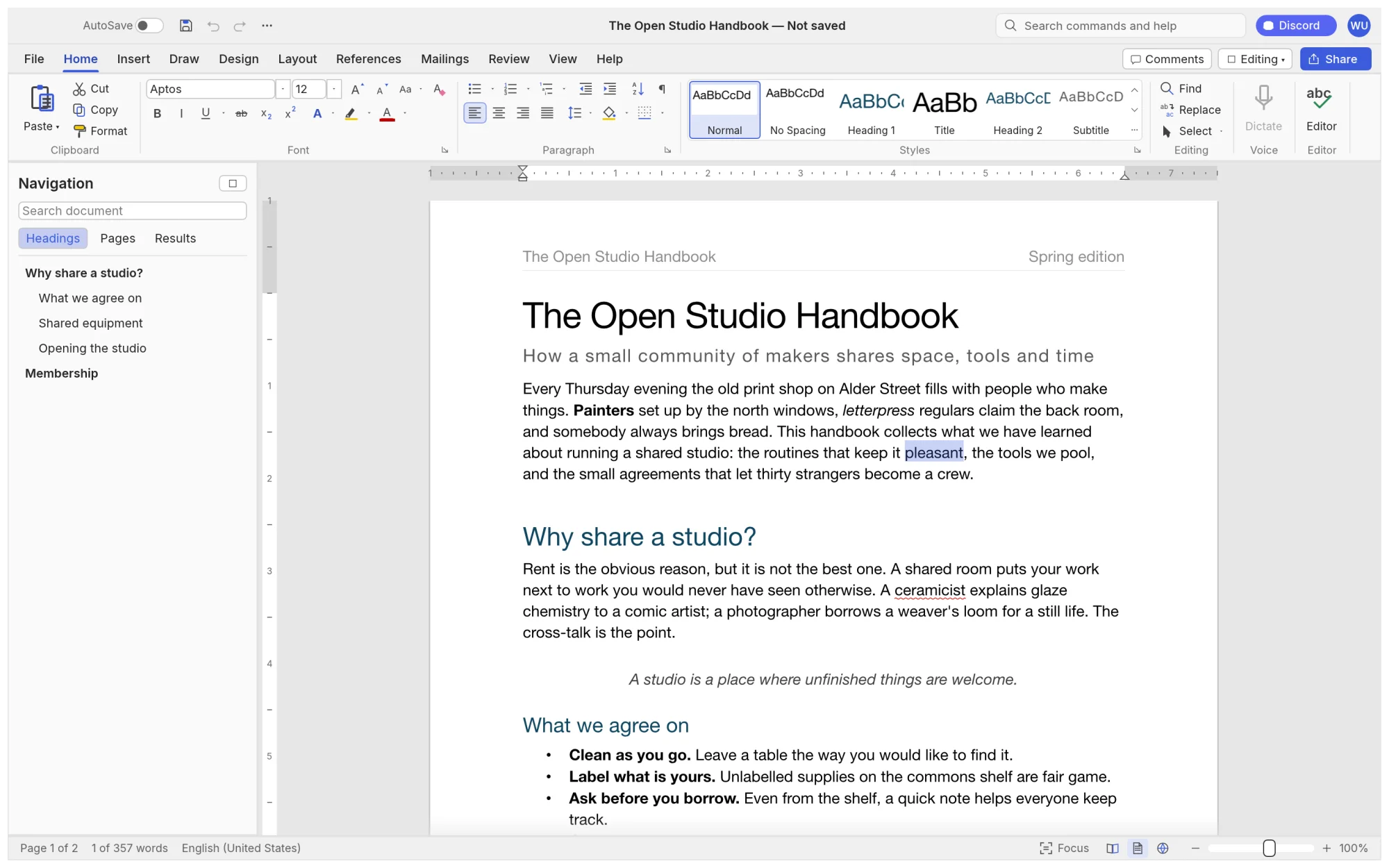
A closer look
Three parts of the editor, in order.
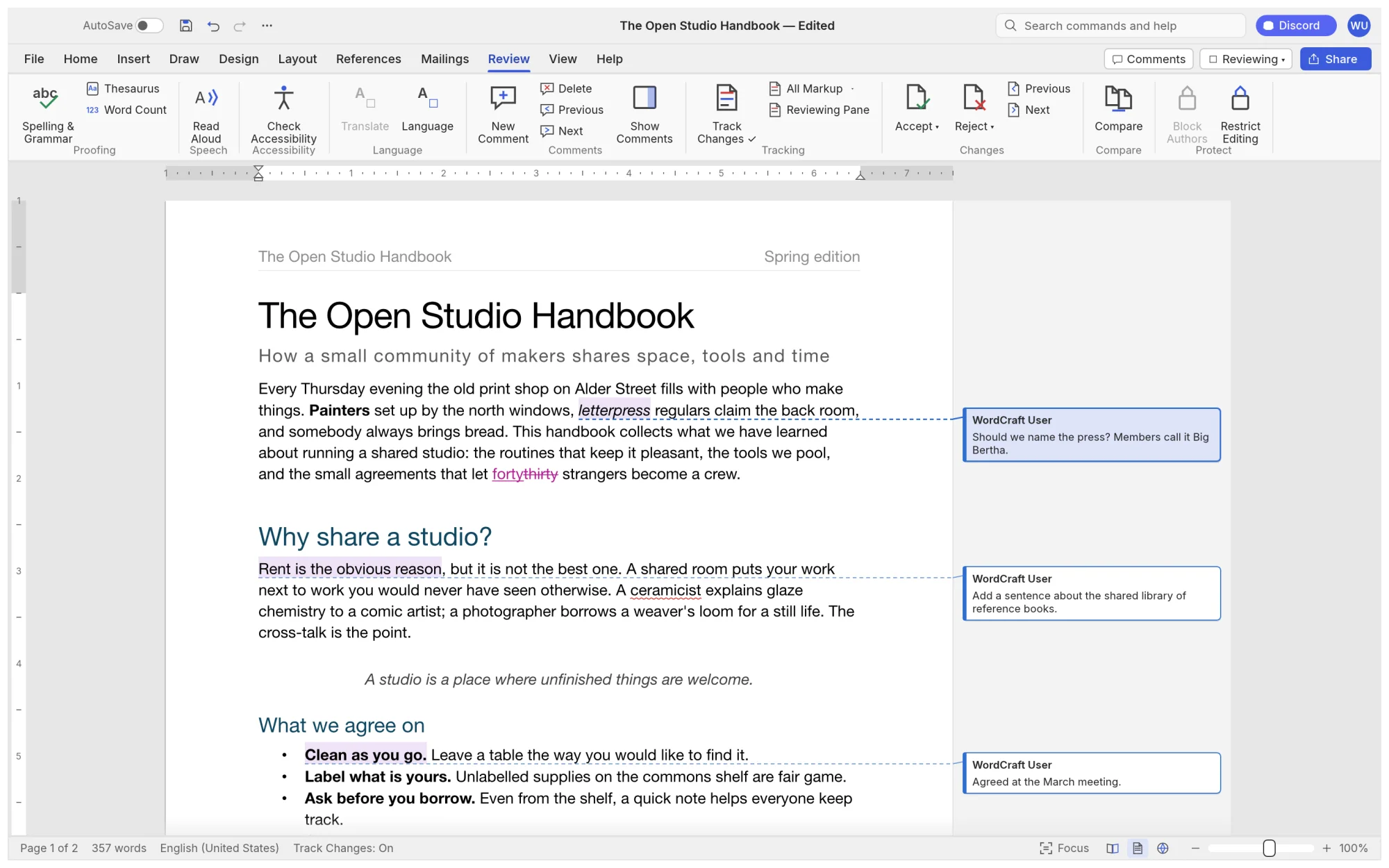
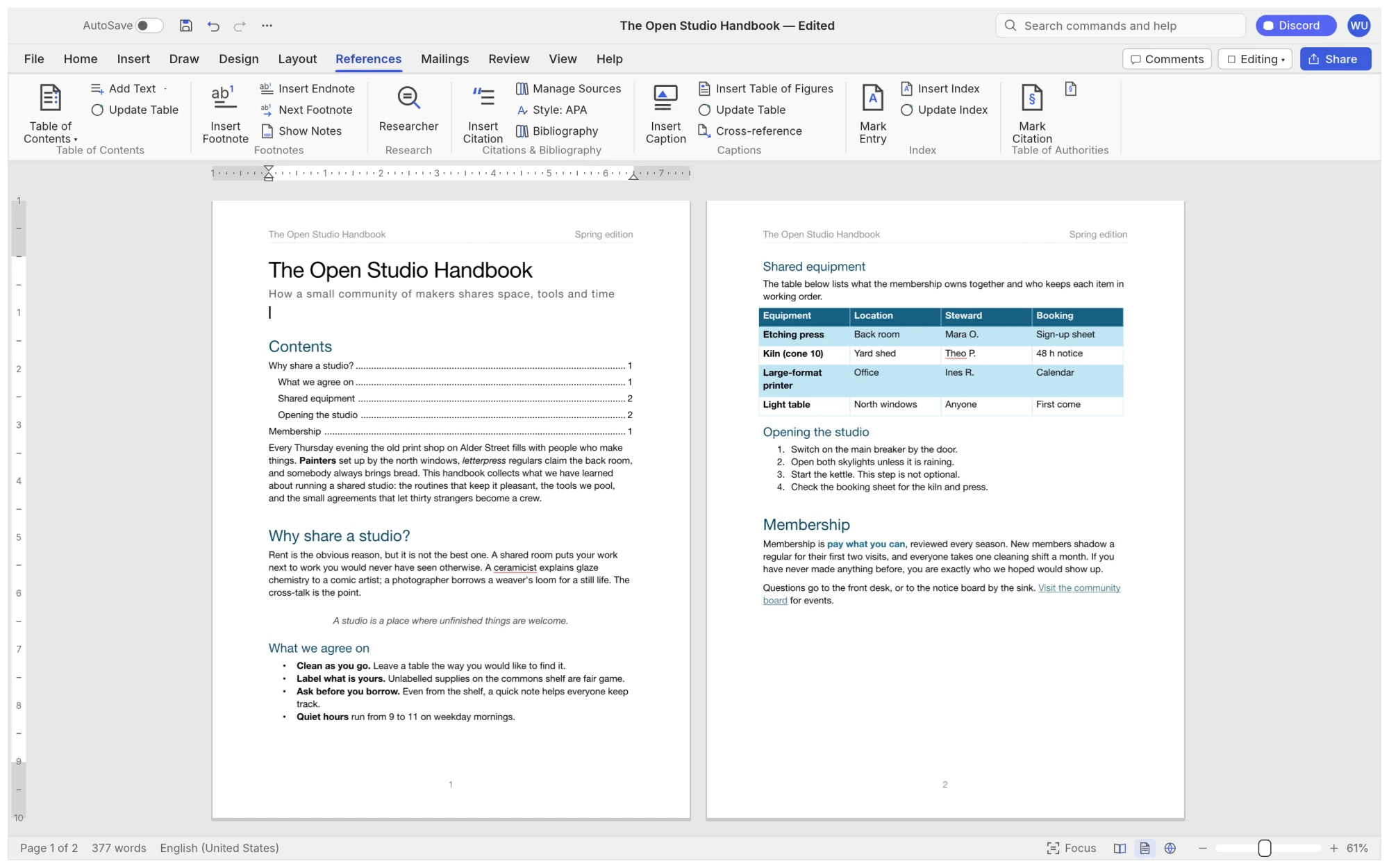
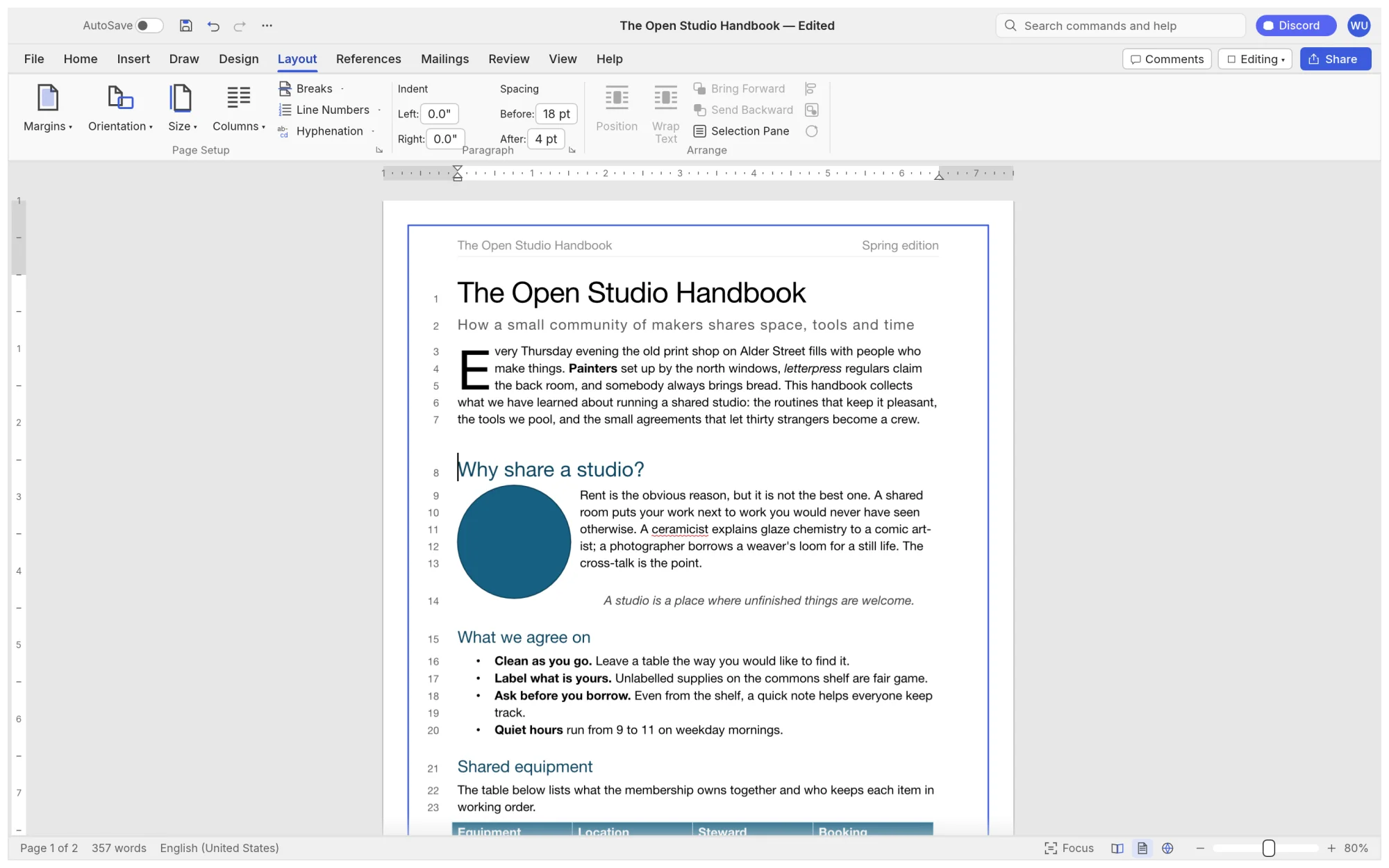
01 review02 references03 layout
These screenshots come from the project README. Read them in sequence: review and track changes, then references, then layout. They show what the project chose to show, not how your own document will look.
Open a copy of a real file, check tables, pictures and page breaks, then save it and reopen it in the program your colleagues use.
The project calls itself alpha. Its Beta list still includes keeping charts and SmartArt through a round trip, and pagination closer to Word's.
Choose a build
release v0.5.0These links point to the v0.5.0 files on GitHub, the same files the official page lists. Pick the one that matches your system.
macOSUniversal disk image for Apple silicon and Intel MacsWindows64-bit MSI installerLinuxx86_64 AppImageOther buildsPortable, ARM64, 32-bit, Flatpak, deb, rpm, FreeBSD and web files
Checksums are in SHA256SUMS.txt on the same release page. The official page also offers ArtCraft Launcher (v0.3.2), which installs WordCraft along with other Crafting Apps.
What to verify before you rely on it
practical checklist1. Match the file to your system. The macOS app is one Universal build; Windows has x64, ARM64 and 32-bit builds; Linux has x86_64 and ARM64 files.
2. Check the checksum. Compare the file with SHA256SUMS.txt from the v0.5.0 release before you open it.
3. Read the release notes and the README limits. The alpha status and the Beta list are stated there, not on this page.
4. Back up your documents. Keep a copy of any .docx before a new workflow, then check the saved file where your colleagues will open it.
If the Windows app quits right after it opens, the README describes the WGPU_BACKEND setting and a log file for troubleshooting. Follow the steps in the README. Questions and bug reports go to the ArtCraft Discord or the repository issue tracker.
Using WordCraft for .docx editing
helpful search contextIf you searched for wordcraft, you may be looking for this ArtCraft word processor, for a different product with a similar name, or for Microsoft Word. On this site, WordCraft means only the open-source Crafting App. For a .docx job, start with the task that has to finish: a report with styles and a table of contents, a draft with tracked changes from a colleague, or a mail merge from a CSV file. Then compare the official page with the repository, choose the matching build and read the release notes.
About WordCraft
Primary source ↗WordCraft is presented by the ArtCraft team as a free, open-source word processor in the Crafting Apps family. The official page lists macOS, Windows, Linux and Web; the README adds BSD. The project describes itself as a clean-room reimplementation of Microsoft Word in pure Rust, with a native egui interface and no Electron or Tauri. It is dual-licensed under MIT or Apache-2.0. The README also gives its own estimate that WordCraft covers about 88% of Word's ribbon features, counted by command. That is the project's figure, not ours, and this guide has not checked it. This guide keeps the descriptions close to the sources and treats the repository as the place to check current code, releases and contribution rules.
| Area | What the project documents |
|---|---|
| Interface | Ribbon tabs, a live Styles gallery, a Navigation pane and keyboard shortcuts that follow Word's habits. |
| Tables | Insert by grid, merge and split cells, table styles, header rows repeated across pages, and formulas. |
| Review | Track changes, comment balloons, accept and reject, document comparison, and spelling and grammar that run offline. |
| References | Tables of contents, footnotes, citations in APA, MLA, Chicago or IEEE, indexes and captions. |
| Mailings | Mail merge from CSV, merge fields, address block, greeting line, envelopes and labels. |
| Files | Reads and writes .docx; imports and exports .odt, .rtf, .html, .md, .tex and .txt; imports Word 97-2003 .doc; exports PDF with selectable text. |
| Automation | Every action is a command with an id, driven from a command-line tool, a JSON control channel and an MCP server. |
Source: the feature list in the project README, main branch, checked 2026-10-16. This guide has not tested these features.
How this guide was made
editorial methodWho edits it
WordCraft Fan Guide is maintained by independent fan editors. We are not ArtCraft, storytold or the WordCraft contributors, and we do not present this site as the product team.
What we checked
On 2026-10-16 we read the official WordCraft page, the GitHub README and the v0.5.0 release page. For the comparison pages we also read public product pages from Microsoft, LibreOffice and Google. We did not install or run any WordCraft build for this site.
How we compare
A claim goes in only when we can cite a page for it. When two sources disagree, we leave the figure out: the README and the official page give different command counts, so this guide gives none. Estimates are labelled as the project's own.
Choose by task
reader-first routesWriting and reviewing a document. Install the v0.5.0 build for your system and open a copy of the file. Check the parts you use: styles, the Navigation pane, track changes and comments. Save a .docx, reopen it, and export a PDF to confirm that the text is selectable.
Moving a shared file from Microsoft Word. Keep the Word original as the master copy. Open a copy in WordCraft and check charts, SmartArt, equations, tracked changes, comments, fonts and page breaks. The README lists keeping charts and SmartArt through a round trip, and pagination closer to Word's, as Beta targets, so treat them as the highest-risk items.
Building from source, or driving it with an agent. The README asks for Rust 1.90 or newer, then runs cargo run --release -p wordcraft. Every action is a command with an id, and wordcraft-cli, the JSON control channel and the MCP server expose them. Read AGENTS.md in the repository before you contribute.
Editorial boundary: this site does not host the installers, does not collect payment information and does not claim endorsement. Every download link goes to the project's GitHub release, and core claims link to their source.
Questions readers ask
What is WordCraft?
WordCraft is an open-source, clean-room word processor written in pure Rust, currently in alpha, and it is not Microsoft Word. The ArtCraft team publishes it as one of the Crafting Apps, and its official page lists it as in development.
Does WordCraft read and write .docx files?
Yes, according to the project README, WordCraft reads and writes .docx files and also imports and exports .odt, .rtf, .html, .md, .tex and .txt. Compatibility depends on the file, and the README lists testing against real-world .docx files as Beta work, so test your own documents first.
Is WordCraft affiliated with Microsoft?
No. The README states that WordCraft is not affiliated with, sponsored by or endorsed by Microsoft Corporation. Microsoft and Microsoft Word are trademarks of the Microsoft group of companies.
Is this website official?
No. WordCraft Fan Guide is an independent, fan-made reference. It does not speak for ArtCraft or storytold. It quotes their pages and links to them, and it does not add an independent confirmation of them.
Where should I verify before I install?
Check the official WordCraft page, the GitHub repository and the v0.5.0 release notes. Compare your download with SHA256SUMS.txt from the same release before you open it.